The real desktop workflow

From a bank statement to a month that makes sense.

These are screens from the working GODFIN app—not a redrawn website mockup. The household and amounts are made up, but the tabs, layout, and features are the real product.

Five-minute check-inA made-up July household

42 rows recognized

3 need a quick review

1 useful next step

Nothing is added until you confirm.
Import → sort → review → understand

See the whole loop, screen by screen.

Each image comes from one privacy-safe demo build of the real desktop app.

01

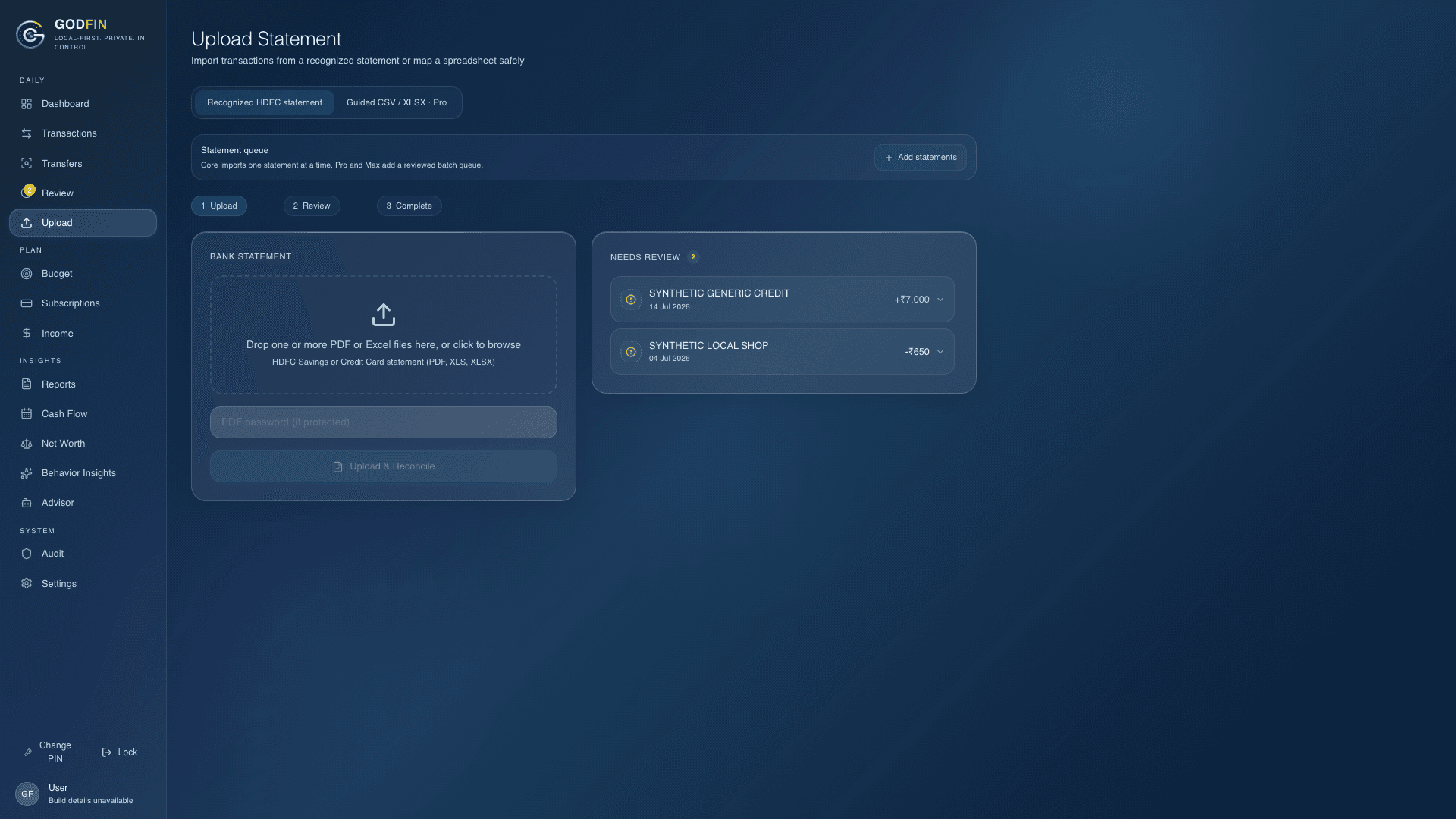
Check the file before it becomes your record

Choose a supported statement in the desktop app. GODFIN shows what it recognized, the account and period, possible duplicates, and anything that needs attention before you reconcile it.

  • Preview every row before importing
  • Duplicate and account checks happen first
  • Core sorting works without AI
Real GODFIN upload screen showing a synthetic statement ready for review
Real GODFIN app · sample data · nothing here is connected to a bank
02

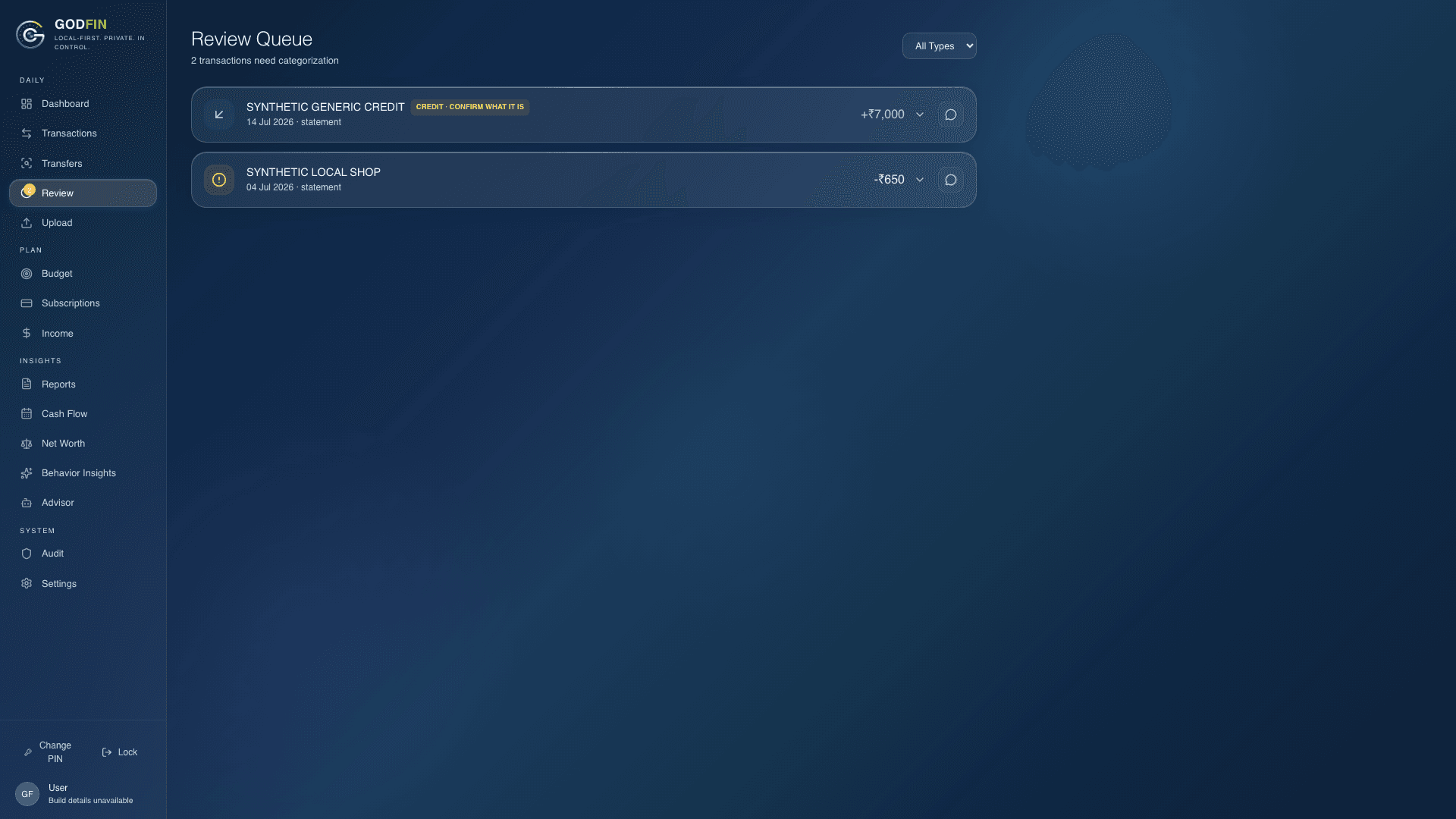
Fix it once. GODFIN remembers next time

When a category looks wrong, correct it. Confirmed merchant memory can help with the next matching transaction, and GODFIN keeps the reason visible so the choice is never a mystery.

  • Learns only from corrections you confirm
  • Exact merchant memory has priority
  • Inspect, undo, export, or reset what it learned
Real GODFIN review queue showing synthetic transactions and category choices
Real GODFIN app · sample data · nothing here is connected to a bank
03

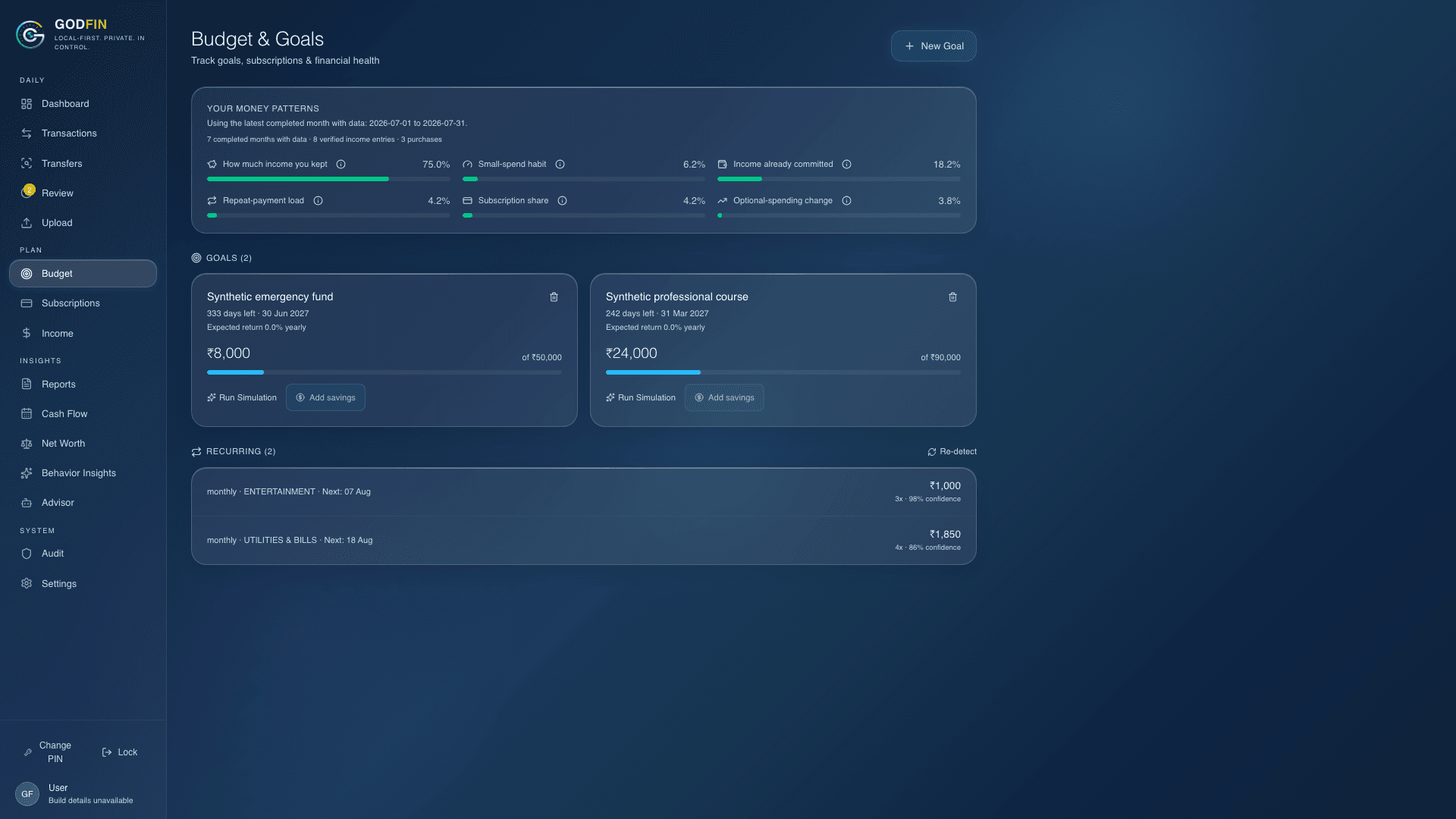
Give a savings goal a history that adds up

Start with what you have already saved, then record deposits or withdrawals. Pro and Max can suggest likely fixed- or recurring-deposit contributions, but a goal changes only after you confirm it.

  • Starting balance and every update stay traceable
  • Projections show their assumptions
  • Detected deposits always wait for you
Real GODFIN budget and goals screen using synthetic amounts
Real GODFIN app · sample data · nothing here is connected to a bank
04

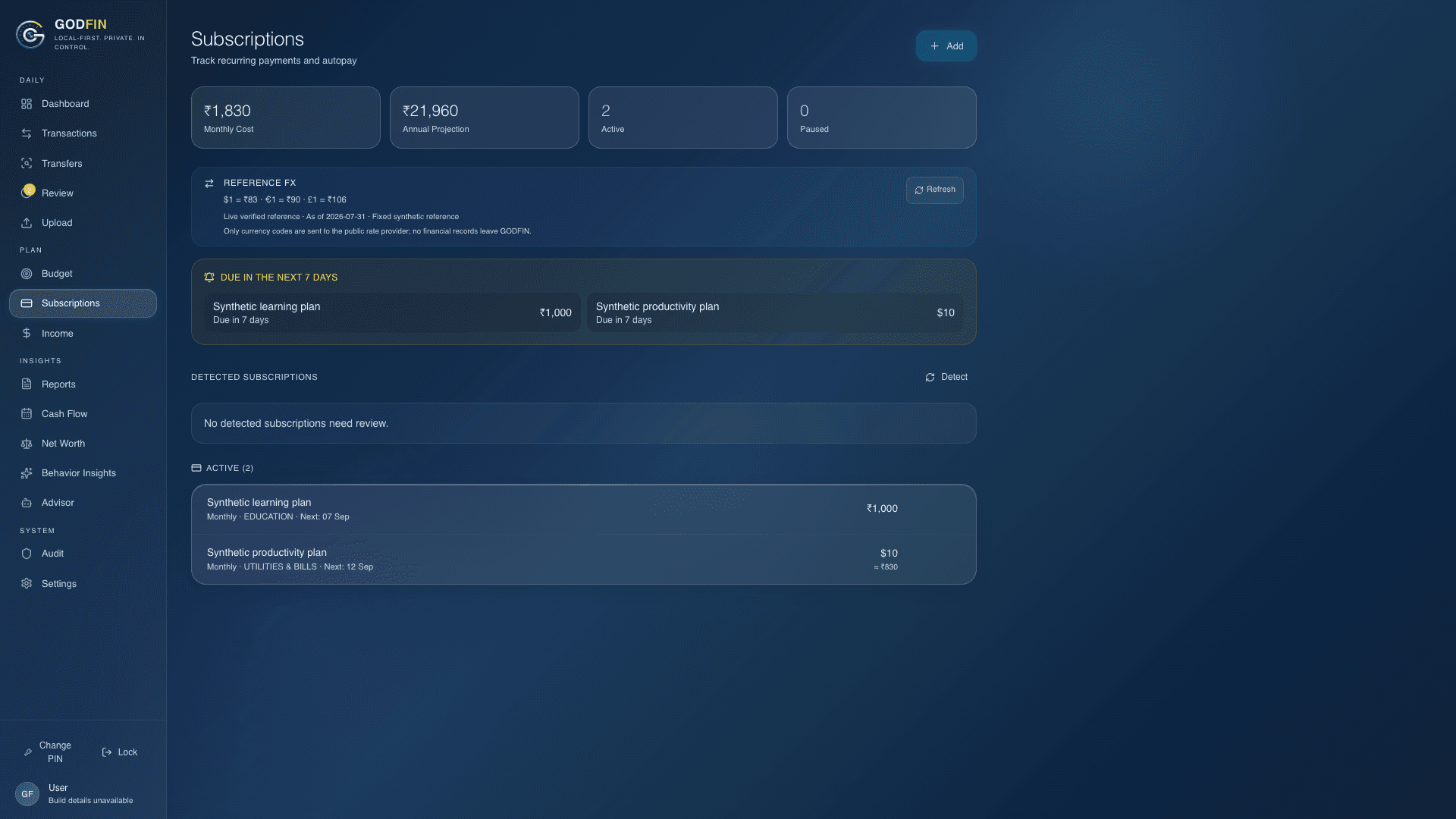
Notice regular payments without filling the list with guesses

GODFIN looks for the same merchant, a similar amount, and a meaningful rhythm. You review the result before it becomes a tracked regular payment.

  • Looks for monthly, quarterly, and yearly rhythms
  • Leaves out transfers and reversals
  • Re-detect explains what changed
Real GODFIN regular payments screen with made-up subscriptions
Real GODFIN app · sample data · nothing here is connected to a bank
05

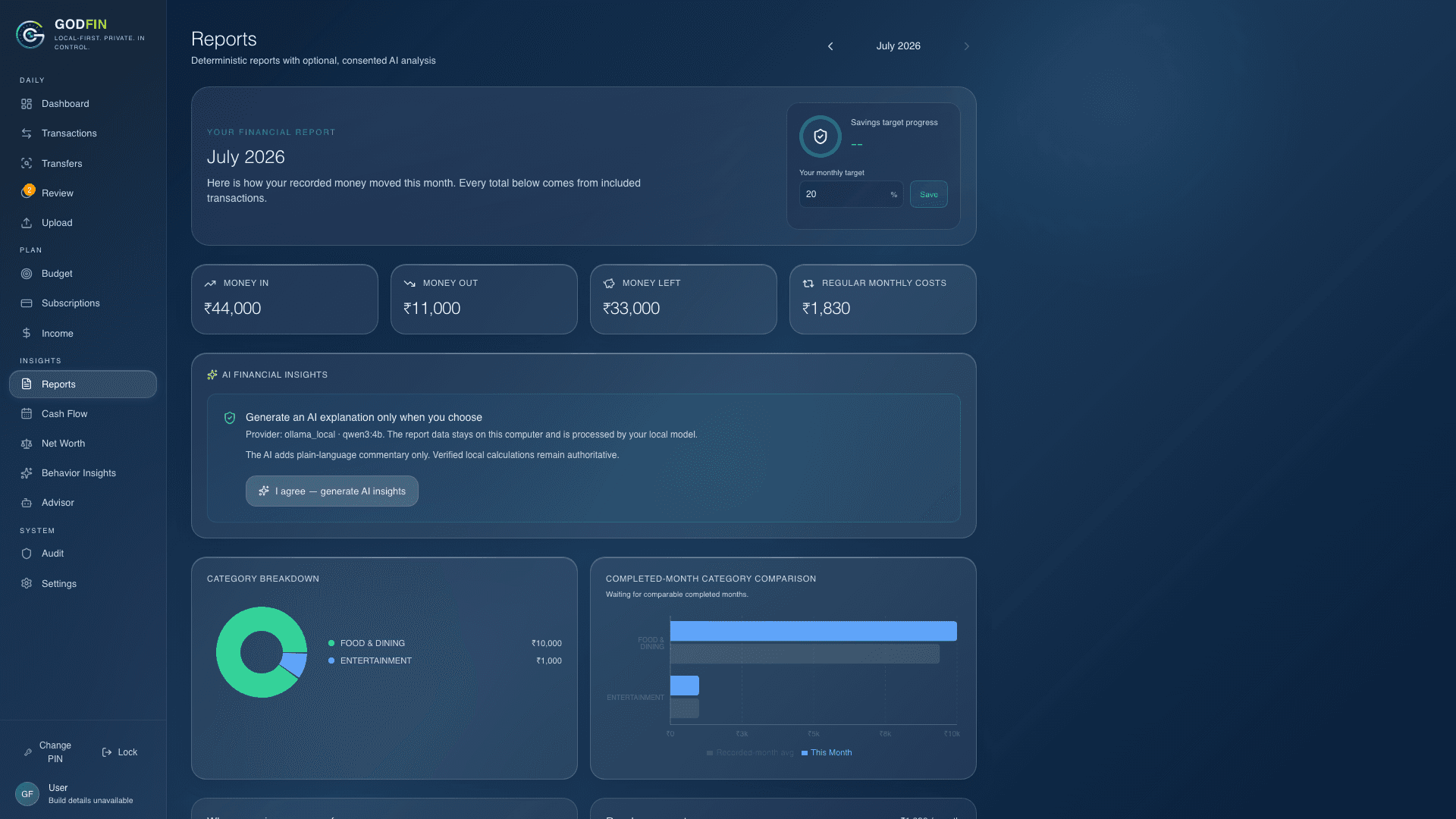
Answer normal questions about the month

Bring money in, spending, regular payments, goals, budget pressure, and warnings into one clear report. Optional AI can help explain verified figures; it never calculates the authoritative totals.

  • Monthly totals and category pressure at a glance
  • Warnings stay attached to incomplete data
  • Reports support review—they do not replace a CA
Real GODFIN reports screen showing a made-up household month
Real GODFIN app · sample data · nothing here is connected to a bank
Current beta focus

Support grows only after the format is tested.

Current verified repository evidence covers selected HDFC savings and credit-card formats, SBI savings relationship statements, and Kotak savings.

The first builds focus on Apple Silicon Mac and Windows x64. Intel Mac and Linux distribution remain later work, so they are not advertised as current beta downloads.

Bank files change over time. When a format is not recognized, GODFIN should say so instead of silently inventing rows.

Try the same interface yourself.

The demo uses made-up data and makes no finance-service request.

Open the real-app demo
See the real GODFIN workflow · GODFIN